
Will your phone work with Zoiko?
Enter your device's IMEI to review network and SIM compatibility before choosing a plan.

Your compatibility result

Your results will appear here
We check network compatibility, SIM options, lock status, and device status separately, so you know exactly what works.
Choose how you'll connect.
eSIM and physical SIM are checked separately for your device, our network partner and your plan.

eSIM
Check IMEI firstA digital SIM, set up on your phone without waiting for a card. We may need your phone's EID to confirm.

Physical SIM
Check IMEI firstA SIM card shipped to you with simple setup steps. Availability is confirmed for your address at checkout.
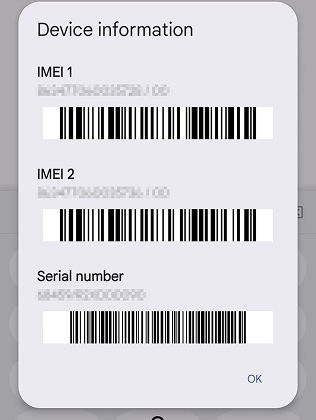

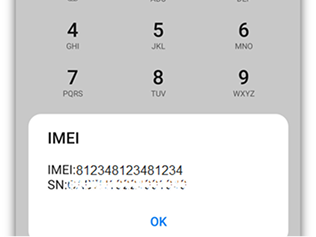
Dial it on any phone to show the IMEI.
Where to find your 15-digit IMEI.
- 1Open Settings.
- 2Tap General, then About.
- 3Scroll down to IMEI.
- 4Press and hold the number to copy it.
Dual-SIM phones show two IMEIs. Use the first one (IMEI 1). We don't accept MEID numbers.
What a compatibility check does, and doesn't, tell you.
It checks
- Whether your phone works on our network
- Which SIM types your phone can use
- Whether your phone is locked to another carrier
- Whether your phone is reported lost or stolen
- Which features, like 5G and Wi-Fi calling, are confirmed
It doesn't
- Choose or approve a plan for you
- Approve a payment or create an order
- Transfer your phone number (that's a separate check)
- Activate your phone or start service
- Guarantee coverage at every location
Where to go from here.



Compatibility questions.

Ask the carrier your phone is locked to. Most carriers unlock phones once they're paid off and meet their unlocking policy. When it's unlocked, check again here.